

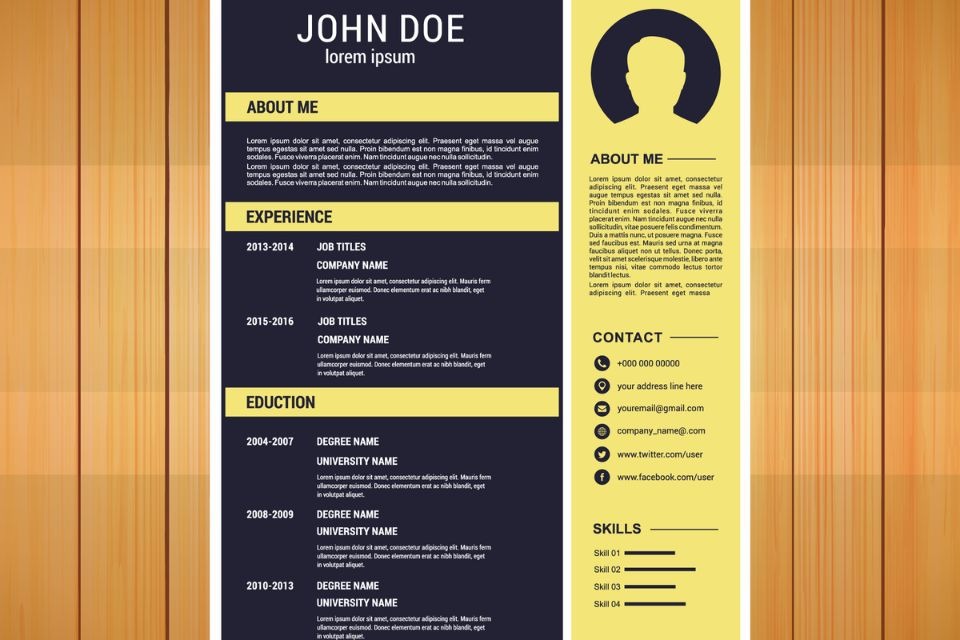
A resume is often the first thing a hiring team sees, and the tools used to build one have shifted in recent years. Browser-based, template-driven editors now let people produce clean, structured documents without buying software or learning a layout program. That change has lowered the barrier for anyone starting a resume from a blank page.
This guide is written for job seekers comparing free resume-template options. That includes students preparing a first application, working professionals refreshing a document they have not touched in a while, and career changers reworking how their experience reads on the page. The shared need is a tool that asks for little or no design background.
Tools in this space differ along a few practical lines. Some offer a deep catalog of visual templates, while others focus on guided, text-first building. They also vary in how friendly their layouts are to applicant tracking systems, how much writing help is built in, and what a free account actually allows before a paid plan is required. Knowing those differences makes it easier to match a tool to a particular situation.
For someone who mainly wants to open an editor and begin arranging a resume, Adobe Express is a sensible place to start. Its free templates and drag-and-drop layout are built for people without formal design training, which makes it broadly applicable across roles and experience levels. The sections below look at it first, then move through other tools that stand out for narrower or more specialized needs.
Best Resume Builders of 2026
Best free resume templates for non-designers getting started
Adobe Express
Most suitable for job seekers who want a flexible, visual editor and have no prior design experience.
Overview. Adobe Express provides an online resume generator with a library of customizable templates that can be searched by style, industry, or aesthetic. This tool lets a person fill in their details, adjust colors and fonts, and duplicate the same project into a matching cover letter. Templates can be saved and revisited, and a shared link can be sent to others for feedback before a resume is finalized.
Platforms supported. Web browser, plus Adobe Express apps for iOS and Android.
Pricing model. Free to create, save, and export resumes; an optional premium plan adds further assets and features.
Tool type. General-purpose design and content editor that includes resume templates.
Strengths
- A wide selection of free, customizable resume templates organized by style, industry, and visual theme.
- A drag-and-drop editor with suggested font pairings and color schemes aimed at people without design training.
- The option to build a matching cover letter or a simple visual portfolio within the same project.
- Share-link collaboration so others can review a draft before it is sent.
- Multiple resume versions can be created and stored at no cost.
Limitations
- Heavily styled, multi-column templates can be harder for some applicant tracking systems to read.
- The breadth of general design features can be more than a person needs for a single, text-focused resume.
Adobe Express fits a person who values layout flexibility and wants room to adjust how a resume looks without learning specialized software. The editor leans on visual choices, so it suits applicants who care about presentation as well as content.
Day to day, the workflow is straightforward: pick a template, replace placeholder text, and adjust spacing, color, and type. Because the same canvas can hold a resume, a cover letter, and a small portfolio, it consolidates several related documents in one place.
Compared with the dedicated resume builders later in this guide, Adobe Express trades some built-in writing guidance for broader design control. For mainstream use across different roles and stages, that balance makes it a practical starting point, with the more specialized tools below serving specific needs.
Best free resume templates for visually creative roles
Canva
Most suitable for applicants in design, marketing, or media who want expressive, image-forward layouts.
Overview. Canva is a general design platform with a large resume template catalog and a familiar drag-and-drop interface. It supports custom color palettes, icons, and graphics, and it allows free PDF export of finished documents.
Platforms supported. Web browser, plus iOS, Android, and desktop apps.
Pricing model. Free tier with many templates and free PDF downloads; a Canva Pro subscription unlocks premium assets and brand features.
Tool type. General-purpose graphic design editor.
Strengths
- A very large variety of resume templates, including bold and decorative styles.
- An interface many people already know from other design projects.
- Free PDF export without a download paywall.
- Brand and color controls for a consistent visual identity.
Limitations
- Many decorative, multi-column templates do not parse cleanly through applicant tracking systems.
- Some templates and elements are reserved for the paid plan.
Canva suits applicants whose target roles reward visual presentation, such as design and creative fields, where a distinctive layout can be an asset rather than a risk. It is also a comfortable choice for people who already use it for other projects.
The building process is visual and quick, with most of the effort going into arranging graphics and type rather than structuring text. That makes it a good match for someone who wants creative control.
Set against ATS-focused builders, Canva favors design range over guaranteed machine readability. For roles routed through automated screening portals, a plainer layout from another tool may parse more reliably.
Best free resume templates for a fast, guided build
Resume.io
Most suitable for people who know what they want and need a quick, structured way to format it.
Overview. Resume.io is a dedicated resume builder that walks a person through each section in order and applies a clean template as content is entered. Its layouts are designed with applicant tracking systems in mind, and it pairs resumes with matching cover letters.
Platforms supported. Web browser.
Pricing model. Free to build, with a plain-text export available at no cost; downloading a formatted PDF or Word file requires a paid subscription.
Tool type. Dedicated resume and cover-letter builder.
Strengths
- A large selection of clean, professional templates.
- A guided, section-by-section flow that is quick to complete.
- A reverse-chronological structure that hiring managers expect.
- Coordinated cover-letter templates.
Limitations
- A formatted PDF or Word download sits behind a paid plan.
- Writing assistance is lighter than in tools built around content suggestions.
- Visual range is narrower than design-first editors.
Resume.io fits a mid-career professional who already knows their content and mainly wants a tidy format produced fast. The guided flow reduces decisions, which can be a relief during an active search.
The workflow is efficient, since the tool handles structure and spacing automatically. The main consideration is the download step, where a formatted export requires payment.
Relative to general design editors, Resume.io offers less creative freedom but a more focused path from blank page to finished layout. It rewards people who want speed over customization.
Best free resume templates for built-in writing guidance
Zety
Most suitable for job seekers who want pre-written phrasing and content prompts while they build.
Overview. Zety offers a set of ATS-friendly templates alongside job-specific content suggestions, so a person can insert pre-written phrases tailored to a role and adjust them. It also provides a resume-score feature that flags areas to revise, and matching cover letters.
Platforms supported. Web browser.
Pricing model. Freemium. A person can build for free and preview the result, but a plain-text export is the free limit; formatted downloads and premium designs require a trial or subscription.
Tool type. Dedicated resume builder with content suggestions.
Strengths
- Pre-written, role-specific phrasing that helps when describing duties and accomplishments.
- Templates built with applicant tracking systems in mind.
- A resume-score feature that points to sections worth revising.
- Matching cover-letter templates that reuse the same input.
Limitations
- The free download is limited to plain text rather than a formatted file.
- Subscriptions can auto-renew, which some users report as a surprise.
- Customization is more limited than in design-first tools.
Zety suits a person who finds writing the hardest part of a resume, such as a career changer translating past work into new language or a senior applicant refining how achievements read. The content prompts give a starting point for phrasing.
The build process is guided and content-led, with suggestions surfacing as each section is filled in. The main thing to watch is the gap between a free preview and a paid formatted download.
Compared with tools that emphasize layout, Zety leans toward language support. It is a fit for applicants who want help with wording more than with visual design.
Best free resume templates for early-career applicants and AI-assisted drafts
Kickresume
Most suitable for students and early-career job seekers who want free downloads and drafting help.
Overview. Kickresume is a dedicated builder that offers several free templates with downloadable PDFs, AI-assisted writing, a large library of real resume samples, and the option to turn a resume into a personal website. It can import a LinkedIn profile to speed up the first draft.
Platforms supported. Web browser.
Pricing model. Free tier includes a set of templates and PDF downloads, with some features reserved for premium; verified students and teachers can access premium at no cost.
Tool type. Dedicated resume and cover-letter builder with AI features.
Strengths
- A usable free tier that allows PDF downloads.
- AI-assisted drafting for summaries and bullet points.
- A large collection of real resume examples for reference.
- LinkedIn import and the option to publish a personal CV website.
Limitations
- Some creative templates can run into ATS parsing issues after export.
- Parts of the AI and customization features are reserved for premium.
- Pre-written content tends to skew toward entry-level roles.
Kickresume fits students and recent graduates who want a finished document without paying, along with examples to model and AI prompts to overcome a blank page. The free student access broadens its reach for that group.
The workflow combines templates with drafting assistance, which suits people who want help generating a first version. Reference samples add context for those unsure how a section should read.
Against guided builders aimed at experienced professionals, Kickresume puts more weight on free output and early-career support. It is a practical option when downloads and examples matter most.
Best free tool for organizing a resume-driven job search
Trello
Most suitable for job seekers who want to track applications, deadlines, and follow-ups alongside their resume work.
Overview. Trello is a Kanban-style project management tool rather than a resume maker, and it is included here as a complement to the builders above. It organizes a job search on a visual board, where each application can move through stages such as saved, applied, interviewing, and offer.
Platforms supported. Web browser, plus iOS, Android, and desktop apps.
Pricing model. Free plan with generous limits for individual use; paid tiers add team features and automation.
Tool type. Project management and task-tracking tool (a complement, not a resume builder).
Strengths
- A visual board that shows where each application stands at a glance.
- Checklists and due dates for follow-ups and interview prep.
- The ability to attach resume versions and notes to each role.
- Ready-made board templates for organizing a job search.
Limitations
- It does not create or design resumes, so it must be paired with one of the tools above.
- Its value depends on keeping cards updated consistently.
- Advanced automation is limited on the free plan.
Trello fits a person running several applications at once who wants a clear system for what has been sent and what needs a follow-up. It addresses the logistics of a search rather than the document itself.
In practice, it sits beside a resume builder rather than replacing one. A person might draft in Adobe Express or another tool, then track where that resume has been sent inside Trello.
Because it solves a different problem, Trello does not compete with the template tools above. It rounds out the workflow by keeping the broader search organized at any career stage.
Frequently Asked Questions
What free resources help tailor a resume to a specific career stage?
Several free tools support stage-specific resumes in different ways. Builders such as Kickresume lean toward students and early-career applicants, with examples and AI prompts that help when there is little work history to describe. Content-led tools such as Zety provide pre-written phrasing that can be adjusted for mid-career or senior roles. General editors such as Adobe Express and Canva let a person choose a layout that matches the formality of a target field, which tends to matter more as seniority rises. Beyond software, public career resources, including the U.S. Department of Labor’s CareerOneStop and many university career centers, publish stage-specific resume guidance at no cost.
Are free resume templates good enough, or do paid plans matter?
For many job seekers, a free template produces a complete, professional resume, especially when the main goal is a clean and readable layout. The practical question is usually the download step. Some tools, such as Resume.io and Zety, allow free building but reserve a formatted PDF or Word export for a paid plan, while others, such as Adobe Express, Canva, and Kickresume, allow free downloads within their free tiers. A paid plan tends to add value when a person wants premium designs, deeper writing assistance, or features beyond a single document, rather than being required for a basic resume.
Where can I find writing advice along with templates?
Tools differ in how much guidance they fold into the building process. Zety is built around content suggestions, offering pre-written phrases by role that a person can edit. Kickresume pairs templates with AI drafting and a library of real resume samples that show how sections can be worded. Resume.io provides a guided flow that prompts for each section in turn. For advice that is independent of any single tool, public career services and educational resources cover how to phrase accomplishments, structure sections, and adapt wording to a job description.
Do free design-forward templates work with applicant tracking systems?
It depends on the layout. Many applicant tracking systems read a single-column, text-first structure more reliably than a design that uses multiple columns, icons, or graphics. Heavily styled templates in tools such as Canva, and some creative templates in Adobe Express and Kickresume, can lose formatting or order when parsed. Applicants sending resumes through automated portals often choose a simpler layout for that reason, while reserving more visual designs for roles where a human reviewer is likely to see the document first, such as in creative fields.
Are there official or authoritative career-stage resume resources beyond template tools?
Yes. In addition to commercial builders, public and institutional resources offer resume guidance that does not depend on a specific platform. CareerOneStop, sponsored by the U.S. Department of Labor, provides resume guidance and examples for different experience levels. University and community college career centers typically publish their own materials and offer reviews, often available to current students and alumni. Public libraries in many areas also provide free access to career resources. These sources can be used alongside any of the template tools in this guide, since they focus on content and strategy rather than layout.